
EMERGENCY MANAGEMENT SOFTWARE FOR YOUR ASSET
Emergency response,
reimagined
Emergency response, reimagined
R U OUT gives Emergency Management Teams, Chief Wardens, Tenant Wardens, Retailers, Staff and Occupants the ability to receive, manage and respond to emergency incidents in real time.
Built for modern workplaces, commercial buildings and retail centres, our platform simplifies emergency communication, improves accountability and provides instant visibility when every second counts.
Greater Control

Faster Decisions

Safer Outcomes
R U OUT has consistently improved evacuation performance, achieving evacuation times up to 300% faster than previous evacuations.
R U OUT has consistently improved evacuation performance, achieving evacuation times up to 300% faster than previous evacuations.
ONE CONNECTED PLATFORM
Everything your team needs to respond with confidence.
Everything your team needs to respond with confidence.
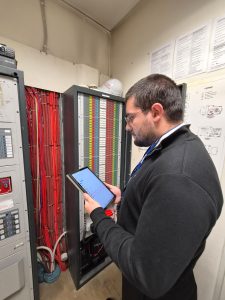
Professional emergency management tools, simplified for the people who need them most.
Instant Emergency Communication
Notify the right people in seconds with real-time updates.

QR Code Access
No app required. Scan a QR code for instant incident information.
Targeted Area Response
Communicate with selected buildings, floors or tenancy groups.

Live Chief Warden Control
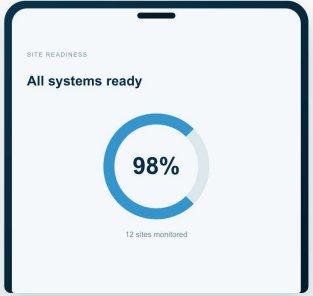
Monitor, update and manage incidents from a single dashboard.

Real-Time Accountability
View responses and occupant status as they happen.
Secure Incident Records
Automatically capture time-stamped logs and reports for compliance.
Built for Australian Workplaces
Designed to support AS 3745 emergency planning and response.

Simple to Deploy
Cloud-based platform with fast implementation and minimal training.

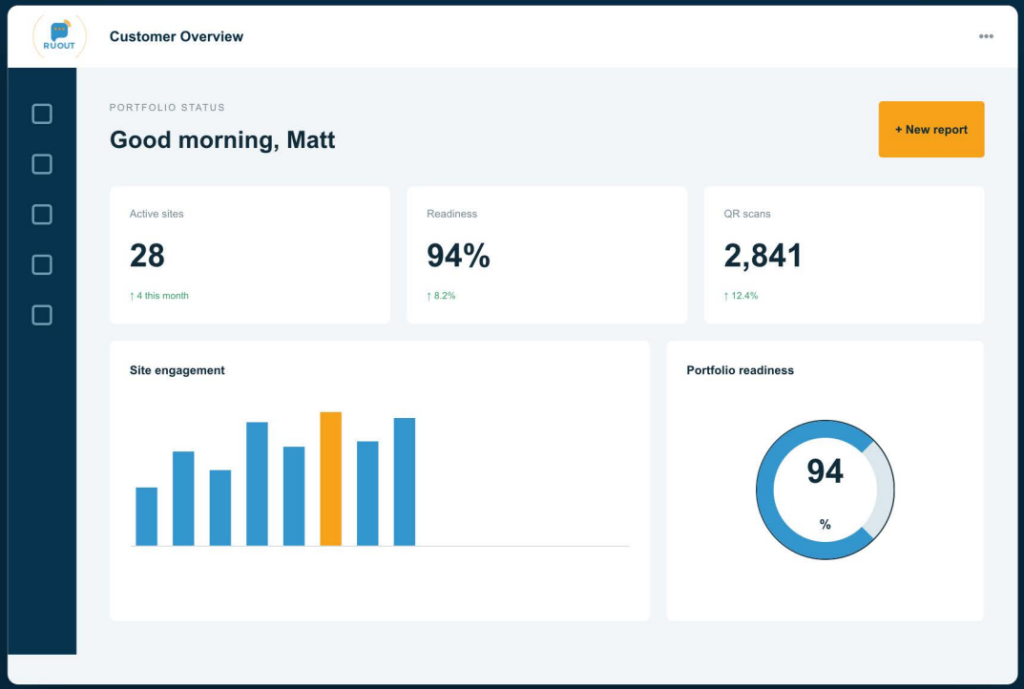
Customer Oversight Portal
Monitor engagement, reporting and site readiness from one dashboard.
CUSTOMER PORTAL
Complete oversight.
One clear view.
Complete oversight. One clear view.
Manage every asset, monitor readiness and identify where attention is needed – all from the secure dashboard.
✓ Live User Engagement
✓ QR Scan Analytics
✓ Emergency Readiness Tracking
✓ Automated Reporting
✓ Document & Task Management
✓ Building Activity Logs
HOW R U OUT WORKS
From preparation to
complete incident control.
From preparation to complete incident control.
A simple four-stage process designed for fast, co-ordinated action.
01
Prepare for an Incident
Build your sites, teams and emergency plans in one connected platform.
02
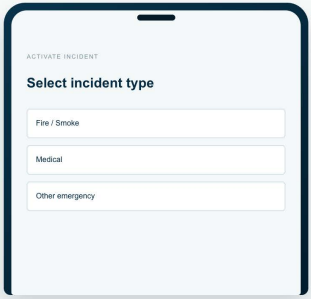
Activate an Incident
Launch the response instantly from any connected smartphone.
03
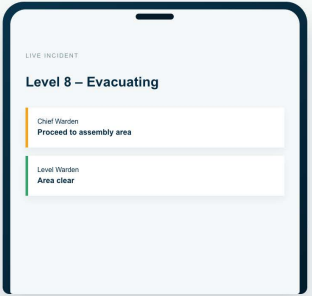
Communicate
Share live updates and status information while teams are on the move.
04
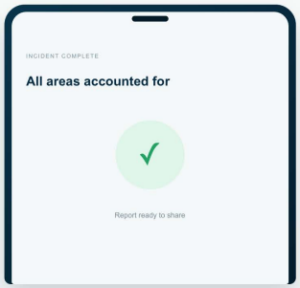
Complete & Share
Close the incident and securely share vital information and reports.
FLEXIBLE PACKAGES
A solution that grows
with your portfolio.
A solution that grows.
with your portfolio.
Choose the level of support that suits your sites today, with the flexibility to scale tomorrow.
01 / STARTER
Small Commercial Facilities
Generally 1-2 levels, with up to 1 retailer, 1 common area, and no more than 2 management team members.
✓ Customer QR Code Web Application
✓ Chief Warden Report Access
✓ Text Message and Email Alerts
✓ Documentation Access For Tenants
+ Ask about our Starter Plus Plan – includes Customer Portal with QR Amendment
02 / PRO
Medium Commercial Facilities
Generally 10-15 levels, with 3-5 retailers, 3-5 common area, and no more than 8 management team members.
✓ Everything in Starter
✓ Customer Portal with QR Amendment
✓ Customer Portal with Chief Warden Management
✓ Dedicated Onboarding Support
03 / ENTERPRISE
Large Commercial Facilities
Generally 15-35 levels, with 5-10 retailers, 5-10 common area, and no more than 16 management team members.
✓ Everything in Pro
✓ Emergency Document Management
✓ Implementation Planning
✓ Onsite Demonstration & Training
+ Ask about our Premium Enterprise Plan – includes Unlimited Functionality + Analytics Reporting
03 / MULTI-SITE
Multi-Site Commercial Facilities
Multiple building contract with multiple sites within many retailers, tenants, and management.
✓ Everything in Enterprise
✓ Unlimited QR codes
✓ Unlimited Functionality
✓ Unlimited Analytics Reporting
01
Platform Implementation
Site configuration, stakeholder planning and guided rollout tailored to your organisation.
02
QR Code System
Custom QR code access designed around your buildings, areas and emergency procedures.
03
Ongoing Platform Access
Secure access, support, reporting tools and continued platform development.
OUR TEAM
Experience you can
rely on.
Experience you can
rely on.
Emergency services expertise, strategic thinking and dedicated customer support.

Director
Matt Jullienne
More than 25 years in the Emergency Services Industry and over 10 years in senior emergency management and workplace safety consulting. As the driving force behind R U OUT, he has led the platform’s vision, development and innovation, transforming it into a comprehensive emergency communication and management solution trusted by organisations across Australia.

business planning & strategy
Dean Broadwood
More than 25 years in the Emergency Services experience and 20 years specialising in emergency management consulting for large commercial protfolios. His expertise in strategic planning, operational risk and enterprise emergency management has played a key role in developing R U OUT into a practical solution that meets the needs of complex organisations.

customer success & onboarding
Jordyn Chew
Jordyn is dedicated to ensuring every customer has a seamless onboarding experience. With a strong background in customer success and SaaS onboarding, she works closely with clients from implementation through to ongoing support, helping them maximise the value of the R U OUT platform and build long term partnerships.
TRUSTED BY ORGANISATIONS ACROSS AUSTRALIA








START THE CONVERSATION
Let’s make your emergency response smarter.
Let’s make your emergency response smarter.
Tell us little about your organisation and out team will contact you to arrange a tailored consultation.